
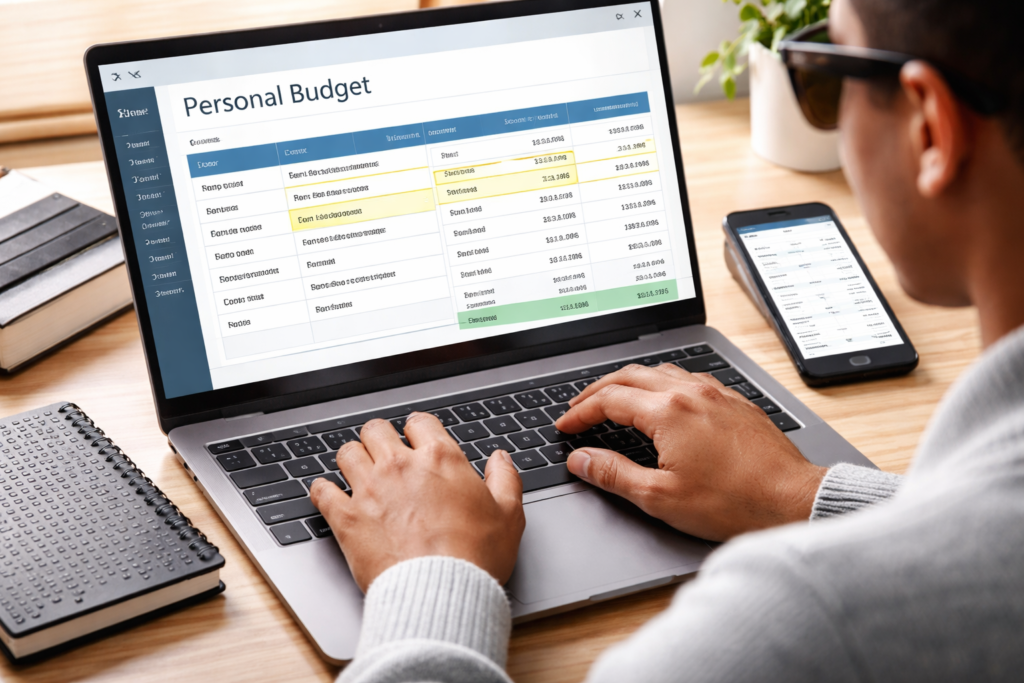
How Blind and Visually Impaired Persons Can Take Control of Their Finances Using Accessible Digital Tools
If you have ever opened a budgeting spreadsheet with your screen reader and heard nothing useful, you already know the frustration we are describing.
Perhaps it read out a string of unlabelled cells. Perhaps the financial summary was presented entirely inside a chart with no accessible data table underneath it. Perhaps the template relied on colour to communicate meaning, green for under budget, red for over, with no text alternative for someone who cannot distinguish those colours or cannot see them at all. You closed it, added it to the growing list of tools that were not built with you in mind, and carried on managing your money however you could.
We understand that experience because we have lived it. And it is precisely why we built Systematic Access, a brand dedicated to creating practical financial and productivity tools that work for everyone, including persons who rely on screen readers or who experience colour blindness.
This post is a guide to accessible financial tools for blind and visually impaired persons who want to take genuine control of their finances. We will share what actually works for screen reader users, why understanding the emotions behind your spending matters as much as tracking the numbers themselves, and three free accessible tools you can download and begin using today.
Why So Many Financial Tools Fall Short for Screen Reader Users
Charts and visual dashboards are not inherently bad. For many people they are genuinely helpful, turning rows of numbers into patterns that are easier to interpret at a glance. The problem is not that these visual elements exist. The problem is when they are the only way the information is presented.
A chart that shows your monthly spending breakdown is a useful addition to a financial tool. A chart that is the only place that information lives, with no accompanying accessible table, no text summary, no alternative for a screen reader user or someone who is colour blind, is a barrier. It is the digital equivalent of putting a sign in a location only reachable by stairs.
We have encountered spreadsheet templates with merged cells that cause screen readers to skip or misread data entirely. We have seen budgeting apps where key action buttons are images with no labels, leaving keyboard navigation users stranded. We have used tools where the entire value of the product was locked inside a visual interface that simply did not translate to assistive technology.
None of this is intentional exclusion in most cases. It is simply the result of lack of education and lack of consultation, so they keep building tools without persons with disabilities in mind and without them testing the tools. However, the effect is the same. Financial independence becomes harder to achieve when the tools designed to support it are not designed for you.
Screen Reader Friendly Financial Systems That Genuinely Work
The good news is that accessible financial management is entirely achievable. Here are the approaches that work well in practice.
Microsoft Excel, when built with accessibility in mind, is one of the most powerful financial tools available to screen reader users. A spreadsheet with properly labelled cells, clear named ranges, a logical reading order, and data presented in well structured tables rather than exclusively in charts can be navigated cleanly and efficiently with JAWS, NVDA, or VoiceOver. The distinction matters because a well-built Excel system and a randomly downloaded Excel template are genuinely different experiences for a screen reader user. Structure is everything.
Banking apps have also improved considerably in recent years. Many major banks now offer apps with strong screen reader compatibility that allow users to check balances, review transactions, and manage payments independently. One practical advantage many blind users appreciate is biometric authentication. Face ID and Touch ID tend to be significantly quicker to manoeuvre and more accessible than typing passwords or reading physical security tokens, making mobile banking a genuinely fast and independent experience for day-to-day financial tasks.
For those starting out or preferring the simplest possible setup, a plain Word document or a basic table in Word can serve as a straightforward spending log. It will not calculate totals automatically or generate summaries, but it is fully accessible, requires no special knowledge, and is a perfectly valid starting point for building financial awareness.
Why the Story Behind Your Spending Matters
Here is something that does not come up often enough in financial advice. The numbers alone rarely tell you what you need to know.
Think about the last time you spent money on something you later regretted. Was it because you did not know your balance? Probably not. Something else was likely happening in that moment. A stressful day that left you wanting comfort. A slow afternoon where boredom quietly became a purchase. A social situation where spending felt like participation. A small reward you felt you had genuinely earned after a difficult week.
These are what we call emotional spending triggers. They are the feelings, circumstances, and patterns that influence our financial decisions more than we usually acknowledge. And they are invisible in a spreadsheet that only shows what was spent, not why.
By identifying these triggers, you do not just track numbers, you learn the specific habits required to stop emotional spending for good.
Of course, we are not raising this to create guilt or suggest that every emotional purchase is a mistake. Sometimes spending on something that brings genuine satisfaction is exactly the right decision. The goal is not to eliminate feeling from financial life. The goal is awareness. When you begin to notice that a particular emotion or situation consistently leads you toward spending you later regret, you gain something genuinely powerful. You gain the space between the feeling and the decision. That pause is where intentional spending begins.
For blind and visually impaired persons this kind of conscious awareness carries extra weight. Many mainstream tools use visual cues to create an emotional response to spending data. Numbers turning red. A graph trending in the wrong direction. A colour coded category screaming for attention. When those visual signals are not discernible, building your own internal awareness of patterns and triggers becomes your primary feedback mechanism. It is not a disadvantage. With the right tool it can actually make you a more thoughtful and deliberate financial decision maker than someone who relies entirely on colours on a dashboard telling them how to feel about their money.
Free Accessible Tools to Begin Building Awareness
We created three free practical tools under our Systematic Access brand to help you start immediately. Each is available in both editable Word format and PDF format. No special software is required beyond Microsoft Word or a PDF reader.
The Intentional Spending Checklist
This is a short reflective tool you use before any non essential purchase. Rather than telling you whether to buy something, it asks you the questions that help you decide for yourself. What is driving this purchase right now? How will you feel about it in thirty days? Does it support or compete with your current financial priorities? Is there an emotional trigger behind it?
It takes less than two minutes to work through. Over time those two minutes can shift the entire pattern of how you make financial decisions. Download it free from our Systematic Access page.
The Weekly Reset Checklist
Once a week, set aside ten to fifteen minutes to work through this checklist. It covers five areas of life: your finances for the past week, your productivity and accomplishments, your progress toward current goals, your wellbeing, and your plan for the week ahead. It is not a complicated system. It is a structured pause that helps you close one week with clarity and open the next with intention. Download it free from our Systematic Access page.
The Subscription Audit Checklist
Recurring subscriptions have a way of accumulating quietly. A streaming service here, a cloud storage plan there, an app you downloaded six months ago and forgot about. This checklist walks you through finding every recurring payment you are making, evaluating whether each one is genuinely worth keeping, and calculating what you could redirect toward savings or goals by cancelling the ones that no longer serve you. Many people are surprised by what they find. Download it free from our Systematic Access page.
A Complete Accessible Excel Budgeting System for the Full Year

The three free tools above are designed to build awareness. If you are ready to move from awareness into a complete structured system for managing your finances across an entire year, the Intentional Budget System was built for exactly that next step.
The Intentional Budget System is a professional, 15-sheet, accessible Excel budgeting template designed from the ground up with screen reader users in mind. Every piece of financial information is available in a properly structured accessible table. Charts are included for those who find them useful, but they are never the only place the data lives. Keyboard navigation works throughout. It has been tested with screen readers so that the experience of using it reflects the reality of how our community actually works.
The system gives you twelve monthly sheets for logging income, expenditure, the emotional triggers behind spending, and contributions toward your financial milestones. A Control Centre lets you set your budgeted categories, define your financial goals, and calculate your emergency fund target before the month begins. An Annual Dashboard brings everything together at the end of the year, showing your full financial picture including spending by category, by emotional trigger, and progress toward each of your top three milestones.
It is available on our Buy Me a Coffee page at an introductory price of $27 before it moves to its full professional pricing: The Intentional Budget.
Financial independence for disabled persons, specifically those in the blind and visually impaired community, is not an out-of-reach dream. It does require tools that were actually built for the way we work. It also requires a willingness to look honestly at not just the numbers but the patterns and feelings behind them.
Start with the free downloads. Use them for a week or two. Notice what they reveal about your spending habits. And when you are ready to go further, the full system will be there.
Explore all our free tools and information about the Intentional Budget System on our Systematic Access page.